 Remote Control

Control any of your applications from Android phone or any smartphone
Welcome
Purchase Code
Activities
Configuration
Upload
Try web client
I Wish ...
Thanks
Media center
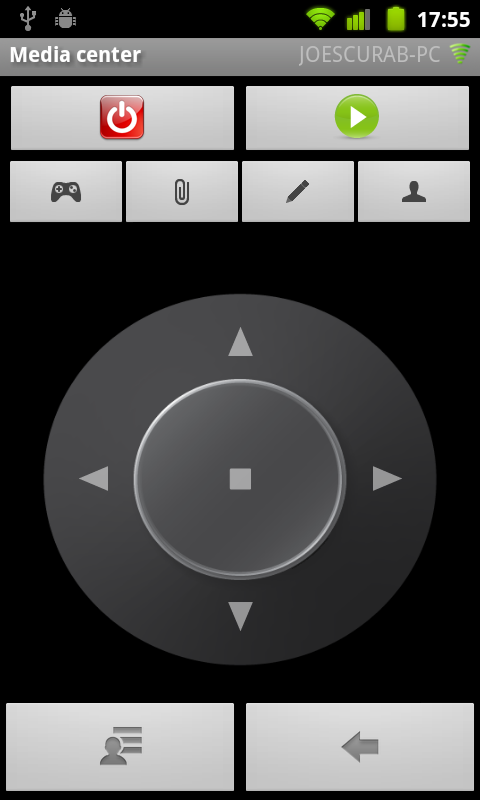
Option menu
| Label | Description |
| Select application | Select your appliation to control (must be set if there is no default application selected from Application Browser activity) |
Buttons
| Icon | Description | Command |
| Shutdown controlled application | Quit | |
| Start TV Application | Start | |
| Show tab with main control | ||
| Show tab with specialized activities | ||
| Open keybaord activity | ||
| Show user panel | ||
| Show context menu (if exists) | ShowContextMenu | |
| Go back | Back |
Main control pad
| Icon | Description | Command |
| Left | Left | |
| Up | Up | |
| Right | Right | |
| Down | Down | |
| Enter | Enter |
Activities
| Label | Description | Command |
| Run specialized activity | Open specialized activity | |
| TV | Open specialized part of MediaCenter to TV | OpenTelevision |
| Video player | Open specialized part of MediaCenter to Video | OpenVideo |
| Audio player | Open specialized part of MediaCenter to Audio | OpenAudio |
| Pictures viewer | Open specialized part of MediaCenter to Pictures | OpenPicture |
Contact me at
remotecontrol -at- scurab.com